
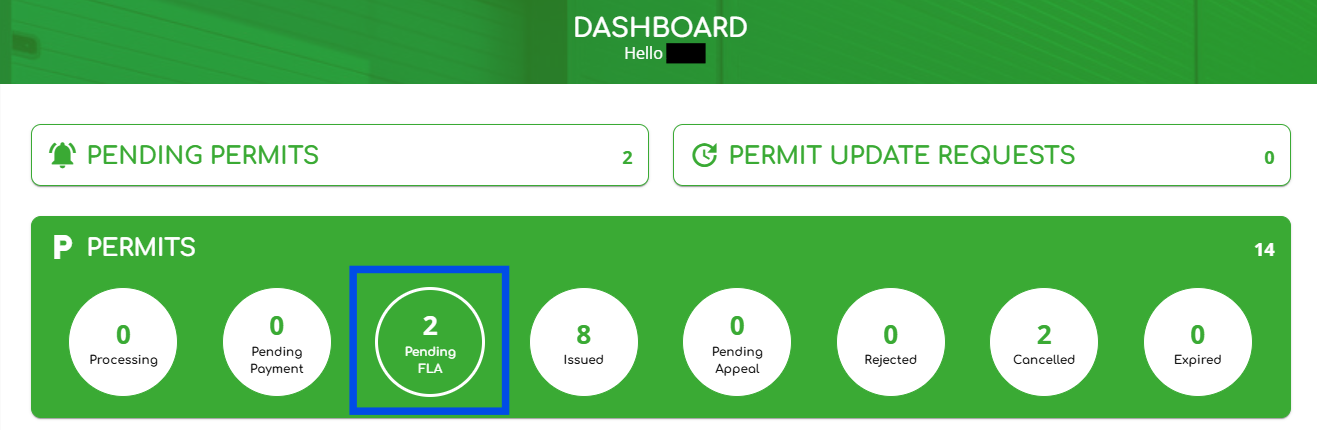
1. Log in as a user with the “Permit Administrator” role, then click on the “Pending FLA” widget as shown below.
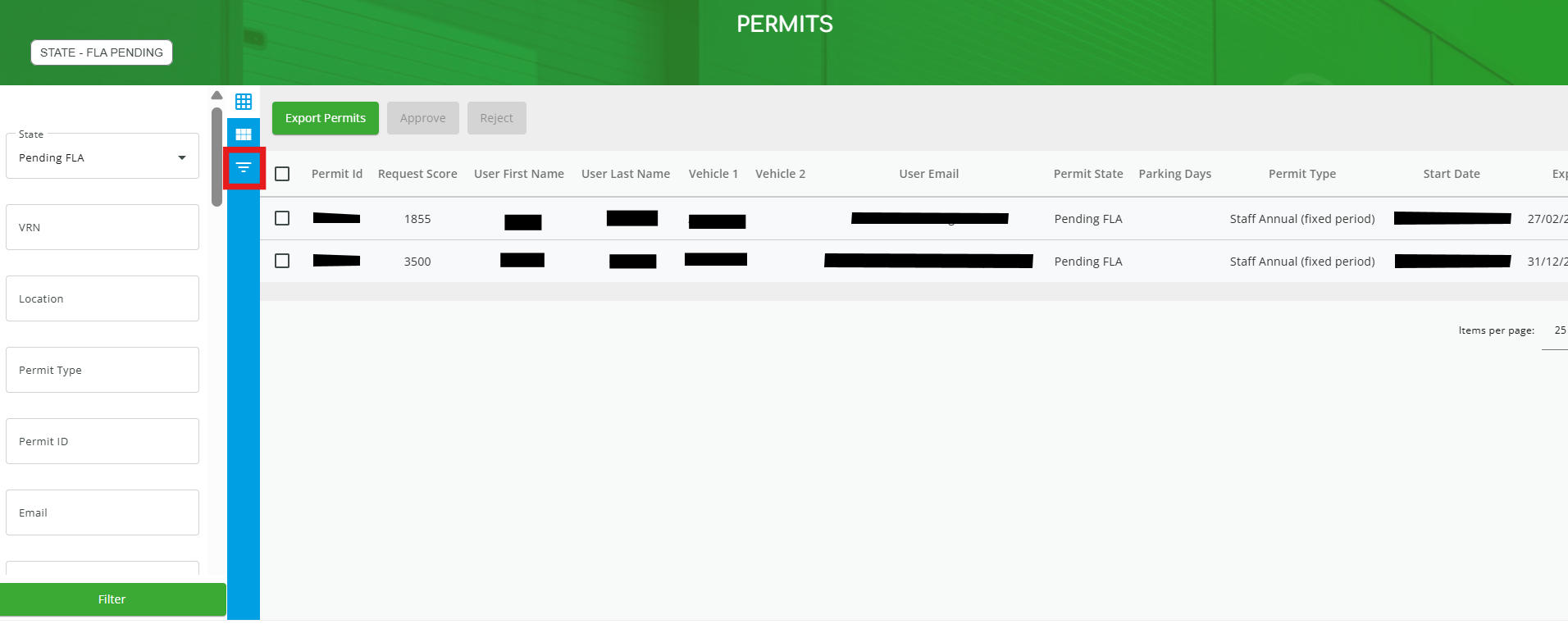
2. If needed, you can filter your permits by clicking the icon highlighted in red below. (Note: Click the icon again to close the filter section.)
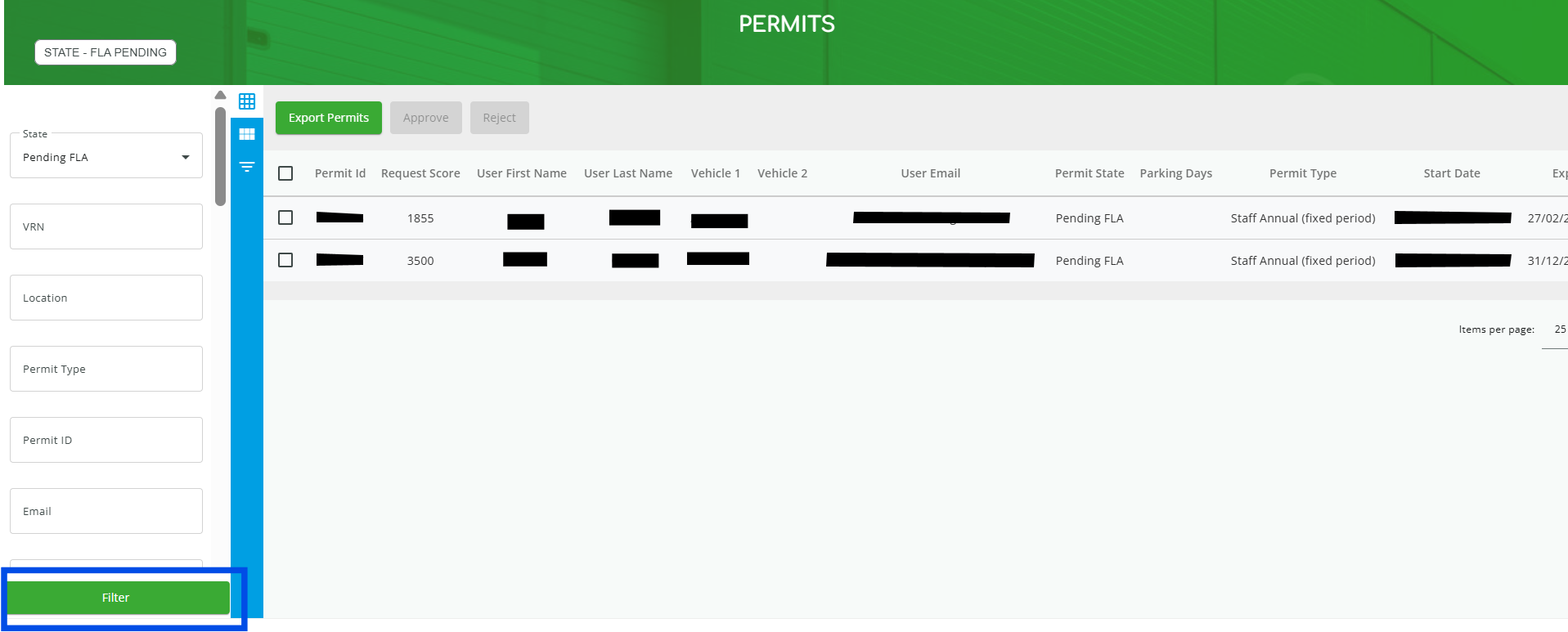
3. After selecting your filter criteria, click “Filter” at the bottom of the page to apply your search results.
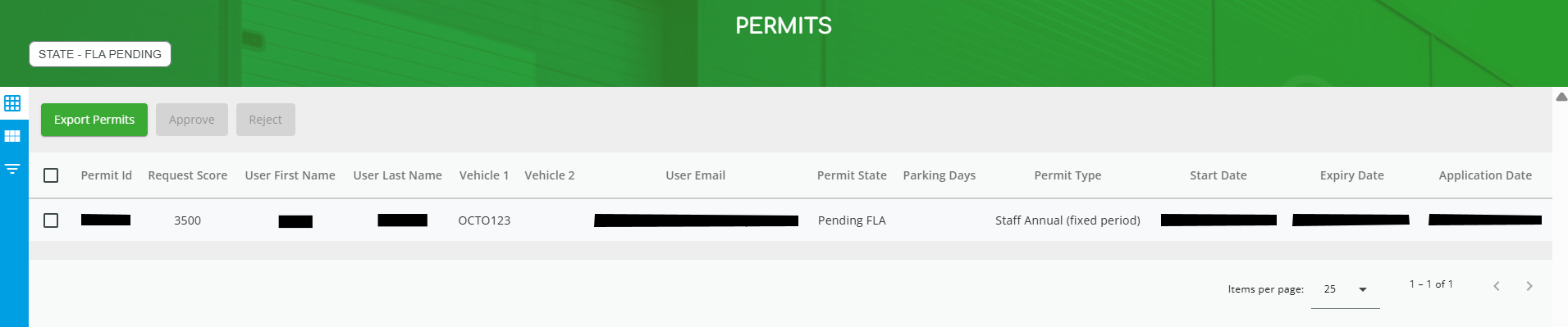
4. Select the permit for which you'd like to resend the FLA email.
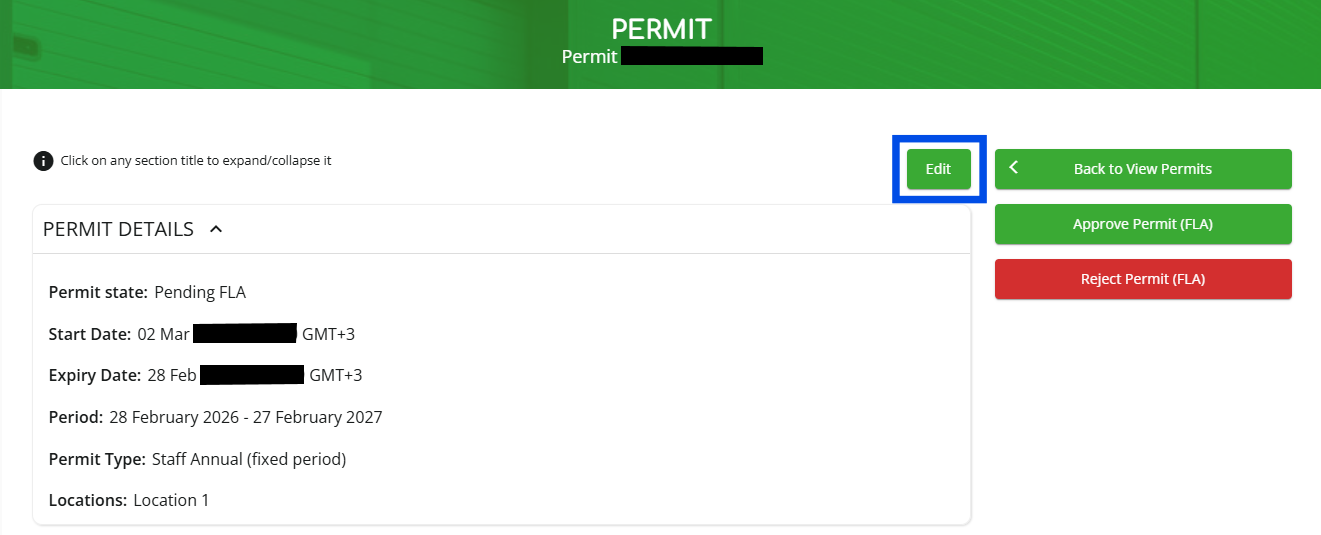
5. Click “Edit” to make changes.
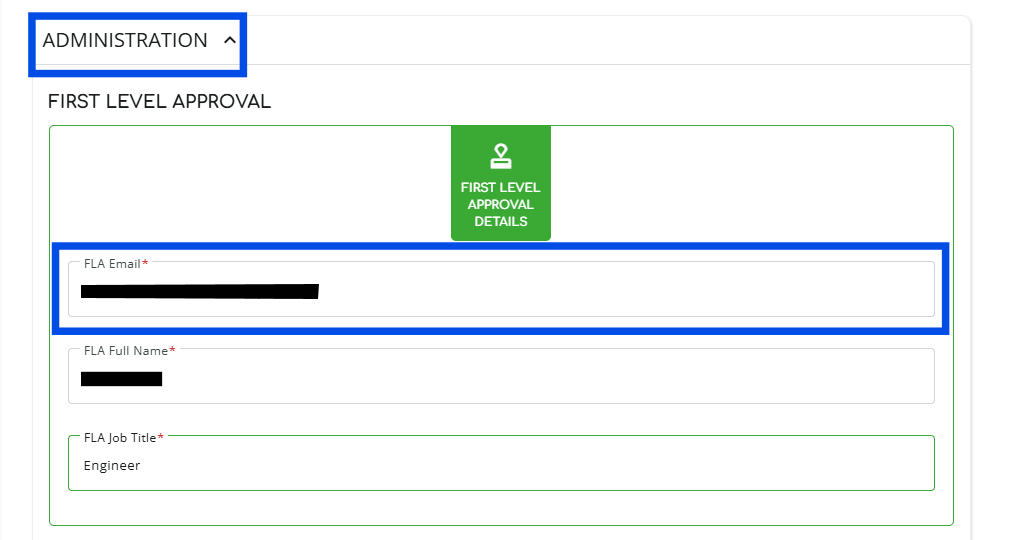
6. Scroll down to the “ADMINISTRATION” section, click on the “FLA Email” field and enter the email address of the person you want to approve.
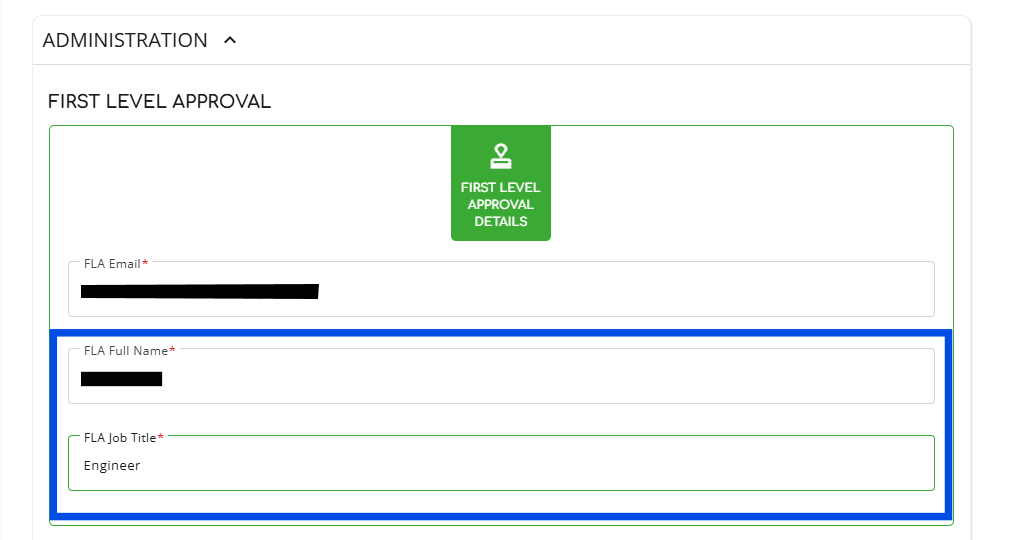
7. Don’t forget to update their “FLA Full Name” and “FLA Job Title” if you need to.
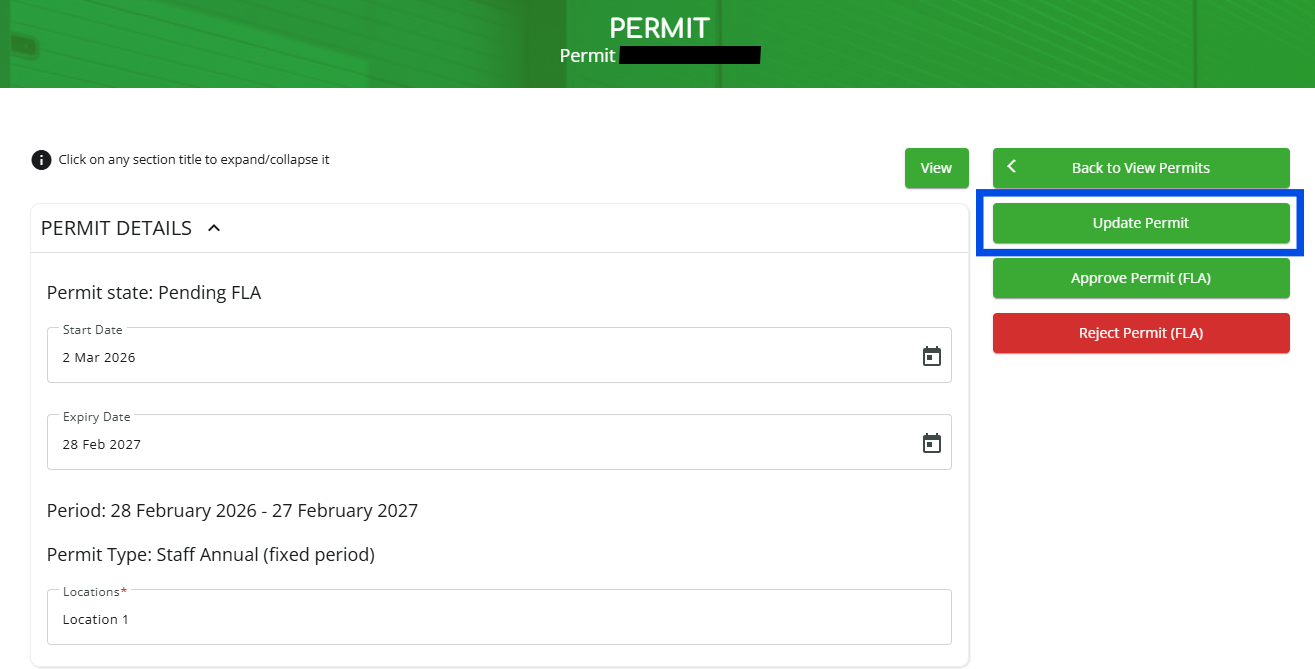
8. Scroll up and click “Update Permit.”
NOTE: If you are trying to resend an FLA email to the currently assigned FLA approver then you must complete steps 6, 7 and 8, ensuring you change the assigned 'FLA Email' to a different one. Once this is done you can then repeat the same steps and change the 'FLA Email' field back to it's original address. Doing this will automatically trigger a new FLA email to be sent out.